

subotiz-cli is a command-line client for Subotiz APIs. It is designed for developers, operators, and automation agents that need to call Subotiz APIs from local machines or CI environments.
It includes configuration management, environment switching, raw API calls, request previews, and output formatting. Command output follows an automation-friendly contract: machine-readable results are written to stdout, while diagnostics, warnings, and errors are written to stderr.
Install With One Command
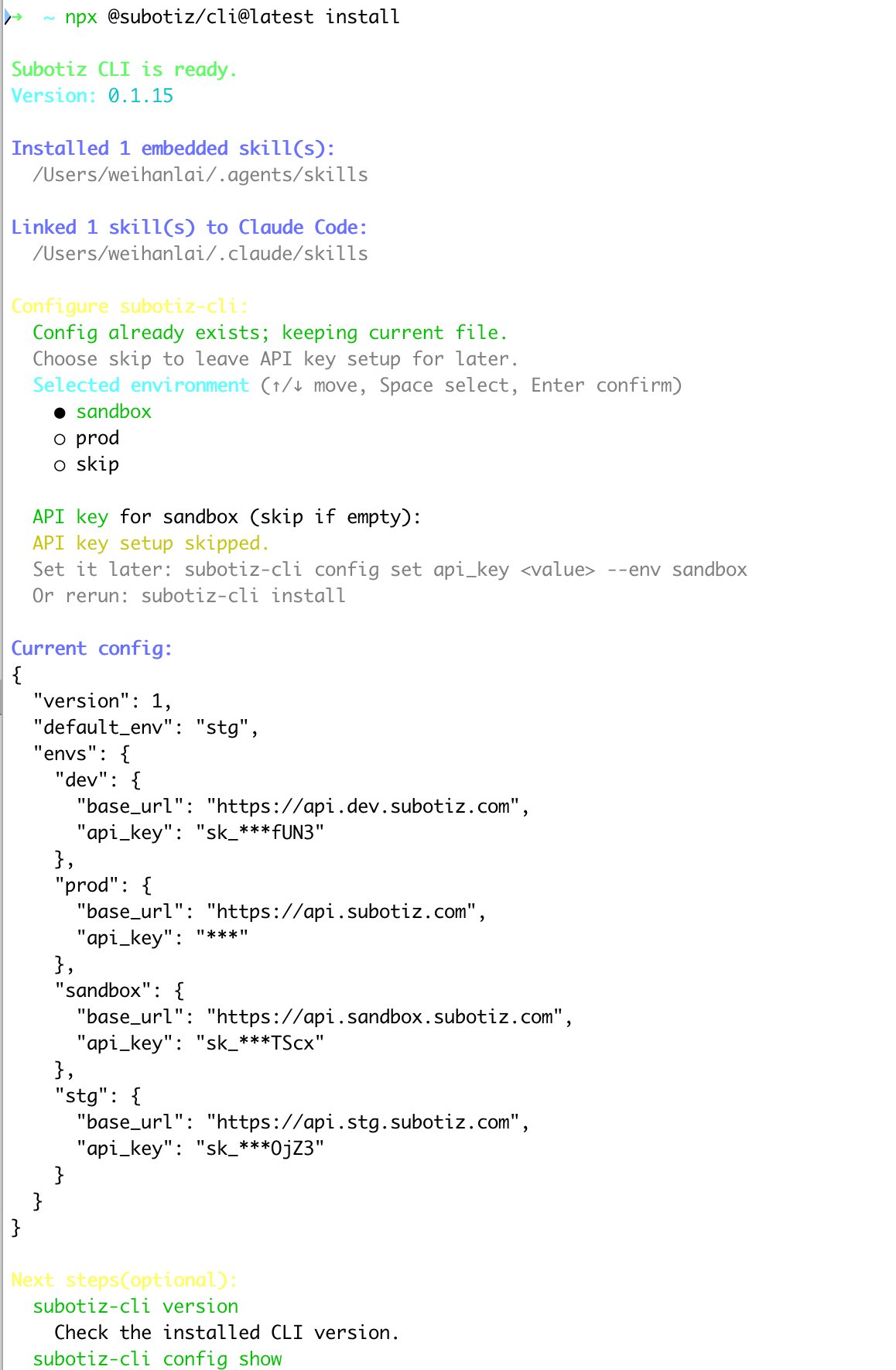
For first-time setup, run:- Syncs the packaged Subotiz skills.
- Initializes the local configuration file.
- Optionally prompts for an API key.
- Prints the masked configuration so you can confirm the active environment and config path.
x64 and arm64. It ships with prebuilt binaries, so installation does not require Go private module configuration or extra release asset downloads.
Use Cases
- Quickly debug Subotiz API requests and preview outgoing calls.
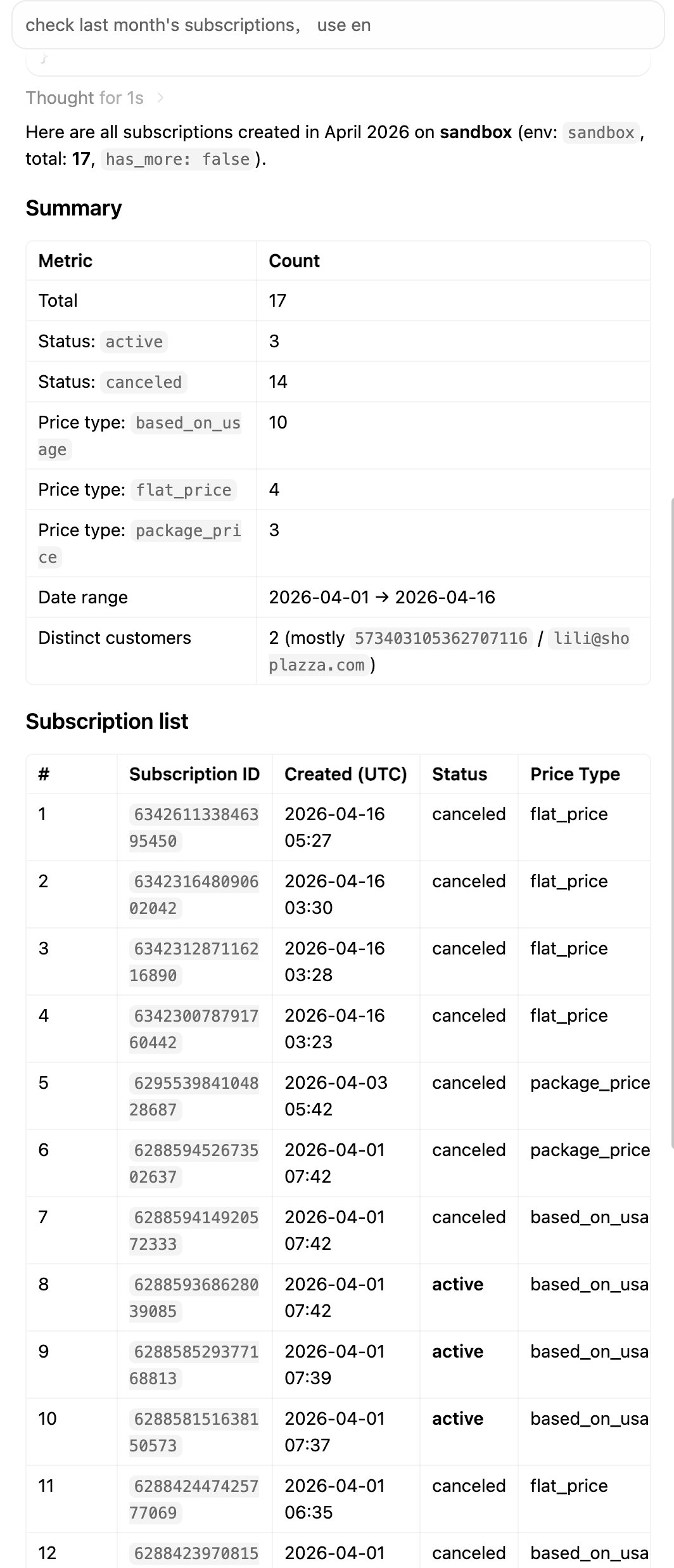
- Call payment, subscription, product, price, and other APIs from CI, scripts, or agent environments.
- Manage multiple environments such as
sandboxandprod. - Use
--dry-runto preview requests before sending them. - Process API responses as JSON, NDJSON, CSV, or with
jqexpressions.
Using With Agents
Skills for coding agents such as Cursor and Claude Code are supported by default. If your agent uses a custom skills directory, copy the relevant skills from~/.agents/skills/ into that directory.
Key Commands
Check Version
Show Current Config
config show masks sensitive fields such as API keys.
List Environments
Switch Default Environment
Add Or Update An Environment
Preview An API Request
Use--dry-run to print a masked request preview without sending the request:
Send A POST Request
--dry-run only after confirming the request is correct.
Read Request Body From A File
--data accepts inline JSON or @file:
Environment Variables
In CI, scripts, or agent environments, prefer environment variables for runtime configuration:SUBOTIZ_ENV mainly affects environment resolution for API requests. It does not change how env list, env use, env add, or env remove display or modify the config file.
Common Global Flags
Output Contract
subotiz-cli separates machine-readable output from human-readable diagnostics:
- stdout: JSON, NDJSON, CSV, or dry-run JSON previews.
- stderr: errors, warnings, debug logs, request IDs, trace IDs, and troubleshooting hints.
Security Recommendations
- Do not paste real API keys into documentation, issues, prompts, shell history, or shared logs.
- Prefer
SUBOTIZ_API_KEY, CI secrets, or config placeholders for secret management. - Preview production write requests with
--dry-runbefore sending them. - Write requests with
POST,PUT,PATCH, orDELETEagainstprodorhttps://api.subotiz.comprint a production-write warning to stderr. config show, dry-run output, debug output, and error output mask sensitive values such as API keys, bearer tokens, secrets, passwords, cookies, and sessions.